Project Hub
Every project — briefs, tasks, notes, and pipeline — in one calm place.
When you're juggling several projects, the work scatters: a brief in your inbox, tasks in your head, notes across three apps. The Project Hub pulls all of it together, so you can see what's active, what's next, and what's shipped — at a glance.
Built in Notion for makers running client work, content, and personal projects side by side. Set it up in about ten minutes, and keep it light with a quick weekly reset.
What's inside
- A Home dashboard — this week, active projects, quick capture
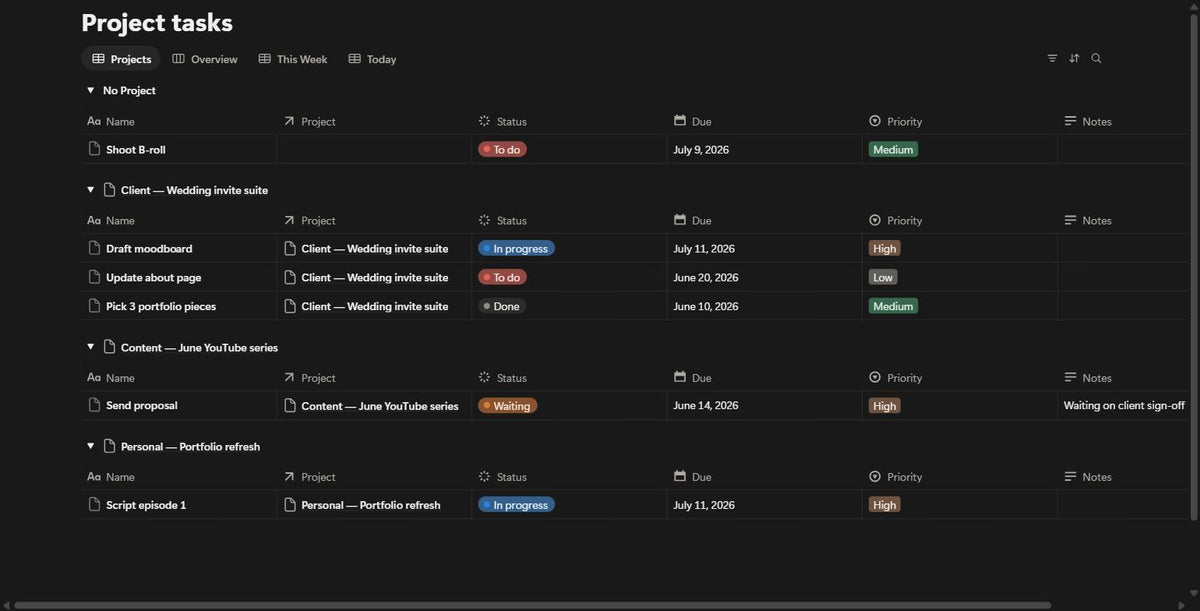
- Three connected databases: Projects, Tasks, Notes & Briefs
- A ready-made project template (brief, tasks, notes, next step)
- A built-in Weekly Reset and a guided Start Here
How to use
Duplicate it to your Notion, open Start Here, and add your first project. You'll be running it in minutes.
Format & delivery
Notion template, delivered as a duplicate link. A free Notion account is all you need.
FAQ
Do I need Notion? Yes, a free account is enough.
Client and personal projects? Both — tag each project by type.
Can I customise it? Yes — hide or tweak anything without breaking the system.
Refunds? It's a digital template with instant access, so sales are final.
What's inside
- A one-page weekly view
- A simple project pipeline
- Quick-start guide